Manage All Your WooCommerce Stores in One App
My Woo Stores is a mobile app for iOS and Android that lets WooCommerce store owners manage all their stores from one phone — monitor real-time sales, manage orders, update products, and track analytics on the go.
Unlimited
Stores Per Account
2
Platforms (iOS & Android)
6
Languages Supported
Everything You Need
Powerful Features for Store Owners
Everything you need to manage your WooCommerce business on the go, packed into one beautiful app.
Multi-Store Dashboard
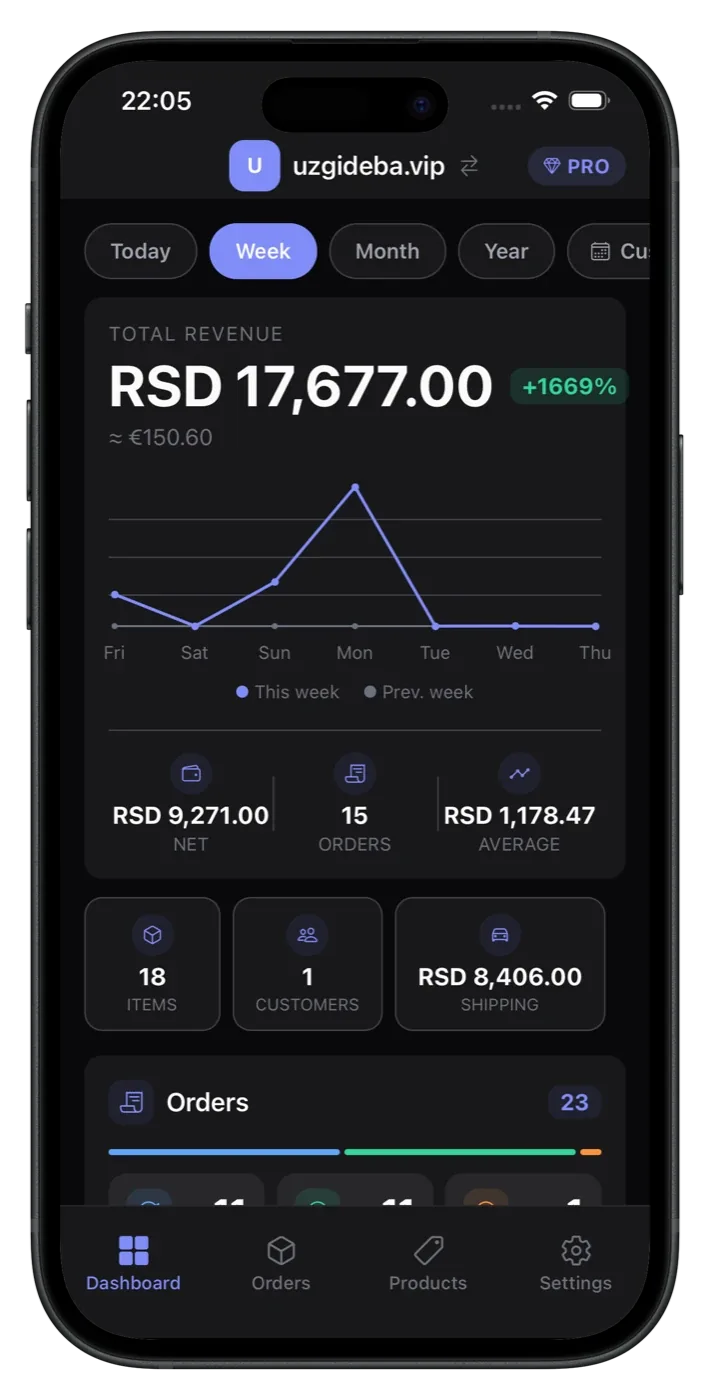
Connect unlimited WooCommerce stores and monitor them all from a single, unified dashboard with real-time metrics.
Real-Time Analytics
Track revenue, net sales, order counts, and average order values with beautiful charts and period selectors.
Order Management
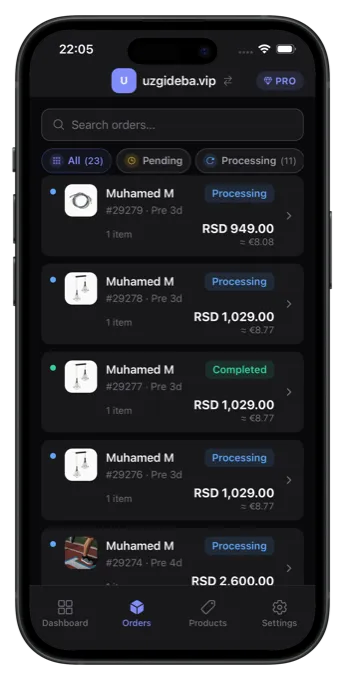
View, search, filter, and update order statuses on the go. See line items, addresses, payment details, and refunds.
Product Management
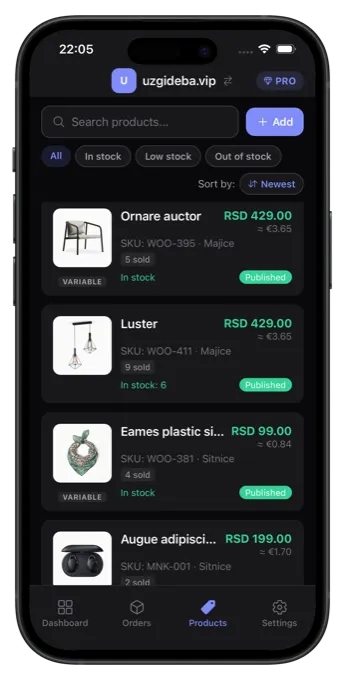
Create, edit, and organize products with full support for pricing, inventory, images, categories, and variations.
Secure Connection
One-click OAuth setup or manual API keys. Credentials live in your device's secure keychain, and the app talks to your store directly over HTTPS.
AI Rewrite & Voice Input
Rewrite a product description in one tap, or describe a product out loud and let AI fill in every field. Pro + AI plan, in all six languages.
Lightning Fast
Built with React Native for native performance. Offline caching means your data is always at your fingertips, even without connection.
Simple Setup
Up and Running in 3 Steps
No complicated configuration. No server setup. Just connect and start managing.
Connect Your Store
Download the app and connect your WooCommerce store with one-click OAuth authentication or manual API keys. It takes less than 30 seconds.
Manage Everything
Access your dashboard, manage orders, update product inventory, track analytics, and monitor sales — all from your phone, anywhere.
Grow Your Business
Use real-time insights to make data-driven decisions. Identify top products, track revenue trends, and optimize your stores for growth.
App Preview
See It in Action
Real screenshots from the iOS and Android app — every screen is built for speed and clarity.
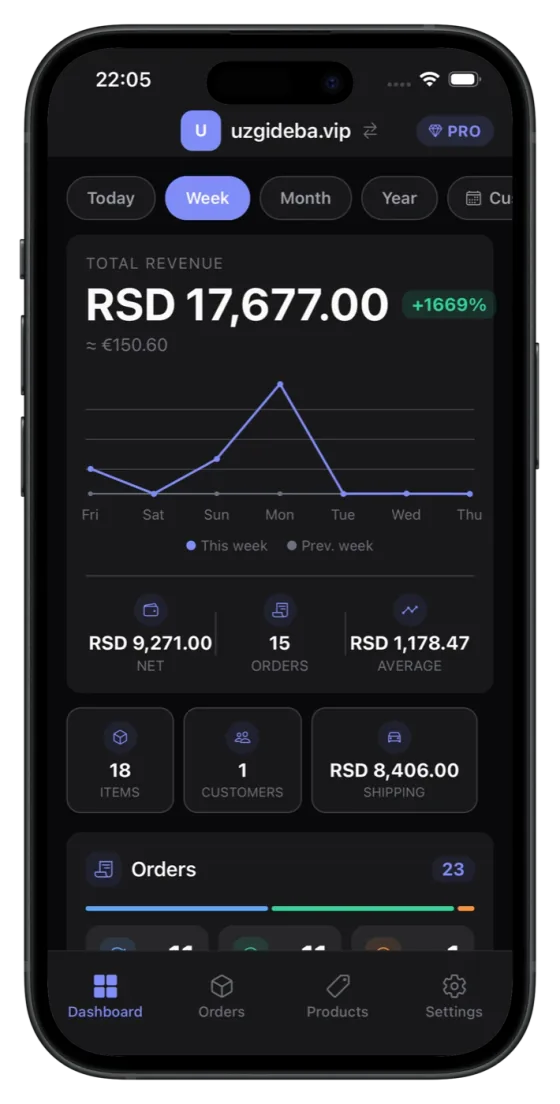
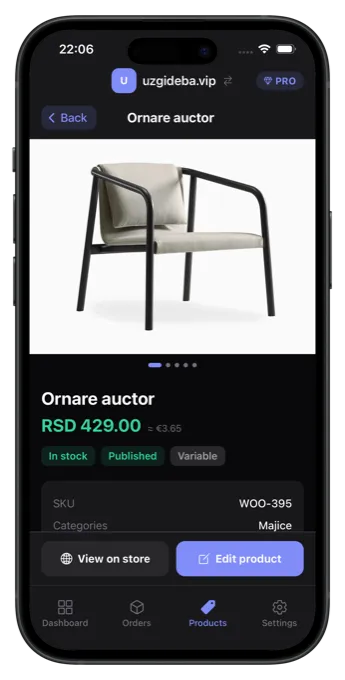
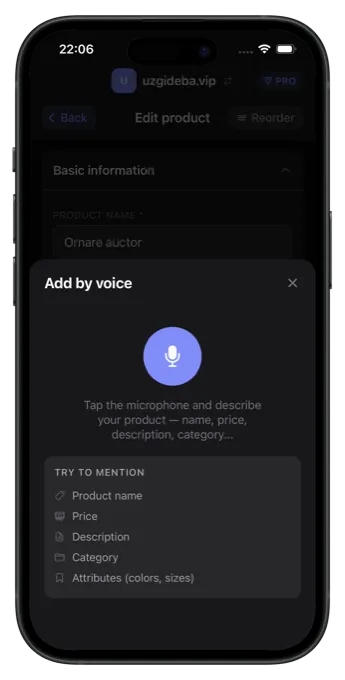
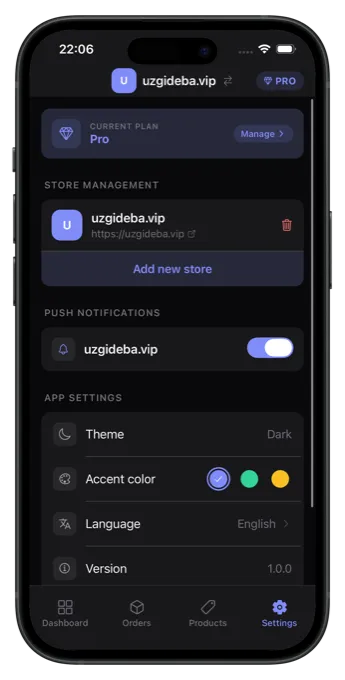
Dashboard
Revenue & analytics at a glance
Why a Dedicated App
Why not just use the browser?
You can open your WooCommerce dashboard in a mobile browser — but running a store from your phone deserves better than a shrunk-down desktop admin. Here is what a native app gives WooCommerce store owners that the browser can't.
Built for a phone, not a desktop dashboard
The WooCommerce admin (wp-admin) is designed for a full browser window. Managing it on a phone means pinch-zooming, mis-taps, and slow page loads. My Woo Stores gives you purpose-built mobile screens for the jobs owners actually do on the go — checking today's revenue, fulfilling an order, fixing a price or a stock number.
Real-time push notifications
A browser tab can't tell you when a sale comes in. The app sends native push notifications for new orders and low-stock alerts, so you can react the moment something happens instead of refreshing a page.
Every store in one place
Switch between all your connected WooCommerce stores instantly — each one color-coded — without logging in and out of separate wp-admin sessions. There is no limit on how many stores you connect.
Fast and available offline
Built with React Native for native performance, the app caches your most recent data locally so you can still view orders, products, and analytics without a connection. An active connection is only needed to make changes.
Your credentials stay on your device
Your WooCommerce API keys are stored in your device's secure keychain (iOS Keychain / Android Keystore), and the app talks to your store directly over HTTPS via the WooCommerce REST API. Connect in under 30 seconds with one-click OAuth or manual API keys.
Plans
Free to Start, Upgrade When It Pays Off
The Free plan is the whole product — unlimited stores and every core management feature, supported by ads. Pro removes the ads. Pro + AI adds AI-assisted product writing. No credit card to get started and no account to create.
Free
Everything you need to run your stores from your phone.
$0 / forever
- Unlimited connected WooCommerce stores
- Multi-store dashboard with real-time metrics
- Revenue & sales analytics with period selectors
- Order management: view, search, filter, update statuses
- Product management: create, edit, inventory, variations
- Push notifications for new orders & low stock
- Secure one-click OAuth or manual API-key connection
- Offline caching for on-the-go access
- Six-language interface
The Free plan is supported by banner and app-open ads.
Pro
The same app, with every advertisement removed.
Subscription
Monthly or yearly. Current price shown in the App Store & Google Play.
- Everything in Free
- No advertisements
Manage or cancel anytime through your App Store or Google Play account.
Pro + AI
Add AI-assisted product writing on top of Pro.
Subscription
Monthly. Current price shown in the App Store & Google Play.
- Everything in Pro
- AI Rewrite for product descriptions
- Voice Input for hands-free product creation
- Priority support
AI output is written in your selected language. You review every rewrite before it saves.
FAQ
Got Questions?
Yes, and the Free plan is the whole app rather than a trial. It includes unlimited connected stores, the full dashboard and analytics, order management, product management with variations and image galleries, and push notifications for new orders and low stock. It does not expire and it is not limited to one store. The only difference from the paid tiers is advertising: Free is supported by a banner and an app-open ad, both served by Google AdMob, neither of which appears inside your order or product data or gates any feature. Pro removes every advertisement. Pro + AI adds the two AI features on top of Pro — AI Rewrite for product descriptions and Voice Input for hands-free product creation — plus priority support. There is no account to create and no card required to start; subscription prices are set in the App Store and Google Play and shown on the plan screen in the app.
Two ways, and both take under a minute. One-click OAuth is the recommended route: the app opens your own store's authorisation page, you approve access while logged in as an administrator, and WooCommerce hands back a consumer key and secret — you never copy or paste a secret yourself. The alternative is manual entry: generate a key under WooCommerce → Settings → Advanced → REST API in wp-admin, then paste the consumer key and consumer secret into the app. Use the manual route if a security plugin blocks the OAuth handshake, which is common and does not indicate a problem. Manual keys have one advantage worth knowing about: you choose the permission level, so a Read-only key lets the app show dashboards and orders while making it impossible for it to change anything. You need no WordPress.com account, no Jetpack, and no plugin installed on your site.
Your API credentials are stored in your device's secure keychain — the iOS Keychain or Android Keystore — and the app talks to your store directly over HTTPS using the WooCommerce REST API. Your WordPress administrator password is never requested and never stored. One exception is worth stating plainly rather than burying: push notifications require a server to watch your store while your phone is asleep, so the connection metadata they need (store URL, credentials in encrypted form, push tokens) is transmitted to and stored on our servers, under TLS in transit and encryption at rest. Everything else — every revenue figure, every order, every product edit — goes straight from your device to your store and is never stored on our infrastructure. You can revoke the app's access at any time by deleting the API key in your own WordPress, without contacting us or waiting for anything.
There is no limit, and no per-store pricing on any plan including Free — connect one store or twenty and the cost is the same. Each connected store gets its own colour-coded identifier so you can tell at a glance which business you are looking at, and switching between them is a single tap that does not reload the app or re-authenticate. Each store keeps its own dashboard, analytics, order list, product catalogue and currency; nothing is blended into a combined total, which would be meaningless across separate businesses. This is the case the app is built around, so it is also where its limits matter: stores are connected per device, there are no team accounts or shared workspaces, and products are not copied or synced between stores. For a freelancer or a small studio where one person does the checking, that is usually exactly right.
Reading works offline; changing anything does not. The app writes the data it fetches to your device, and that cache survives closing the app and restarting your phone — so opening it with no connection shows the dashboard, the order list, orders you have already opened, your product catalogue and your settings, rather than an error screen. Pull down to refresh when you have signal again. Anything that changes your store — updating an order status, editing or creating a product, uploading images, or using the AI features — needs a connection, because each is a live call to the WooCommerce REST API. The app deliberately does not queue those changes to send later: a status change replayed twenty minutes after you made it could land after a colleague already handled the order, and a write that silently succeeds late is worse than one that clearly fails now.
iOS 15 and later and Android 10 and later, covering iPhone, iPad and Android phones and tablets. The app is distributed through the Apple App Store and Google Play and is built with React Native, so the screens you scroll are real platform views rather than a website inside an app shell — lists scroll at the frame rate the device is capable of and the charts are drawn with a GPU-accelerated graphics engine. The interface is available in six languages: English, Serbian, German, French, Italian and Hindi, and the AI features write in whichever of those you have selected. The app is dark by default with a light theme available, and your choice persists across restarts. There is no web version and no desktop application; for anything that lives in a settings screen rather than on an order or a product, you still use wp-admin.
Start Managing Your Stores Today
Download the app and start managing all your WooCommerce stores from your phone. Free with unlimited stores, no credit card required.
Available on iOS 15+ and Android 10+. No account required.